Getting write access in Fitssey
New Fitssey studios get API keys that can only read. Before TakeSlot can add bookings to your schedule, Fitssey has to switch write access on for your studio. It is one short form and a little waiting.
Why Fitssey asks for this
To prevent abuse, Fitssey gives every new studio read-only keys. Reading is enough to show your classes on TakeSlot, but when someone books, we have to add them to your Fitssey schedule as a visit, so the seat is taken in both systems and nobody else can book it. That needs write access, and only Fitssey can turn it on.
- 1
Open API keys
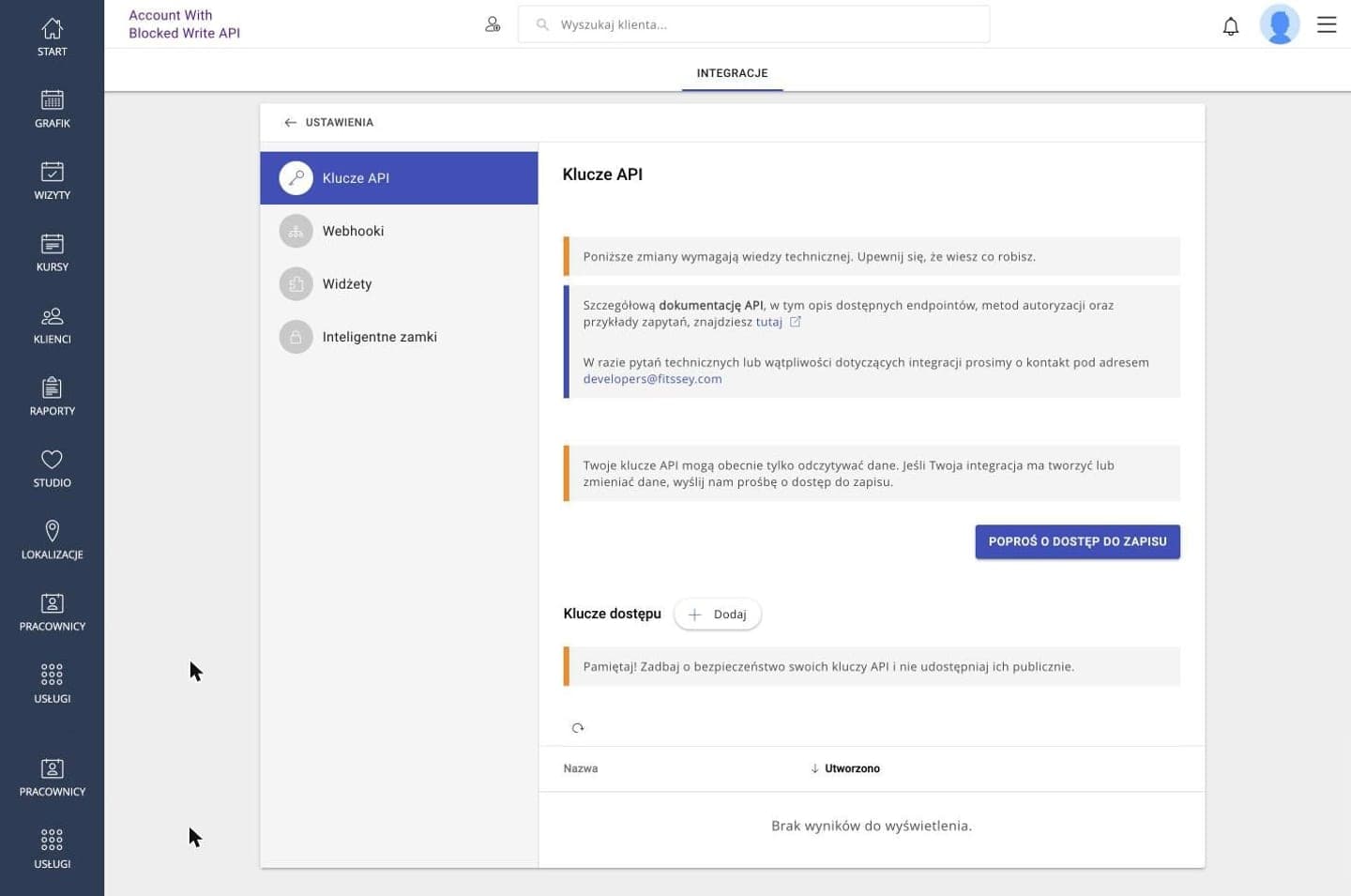
Sign in to Fitssey with an administrator account and go to Studio → Integrations → API keys (Klucze API).
- 2
Find the read-only notice
If your studio is new, you will see a note saying your keys can only read data, with a button under it: Request write access (Poproś o dostęp do zapisu). No such note? Write access is already on, so go back to the connect guide and create the key.
- 3
Describe the integration
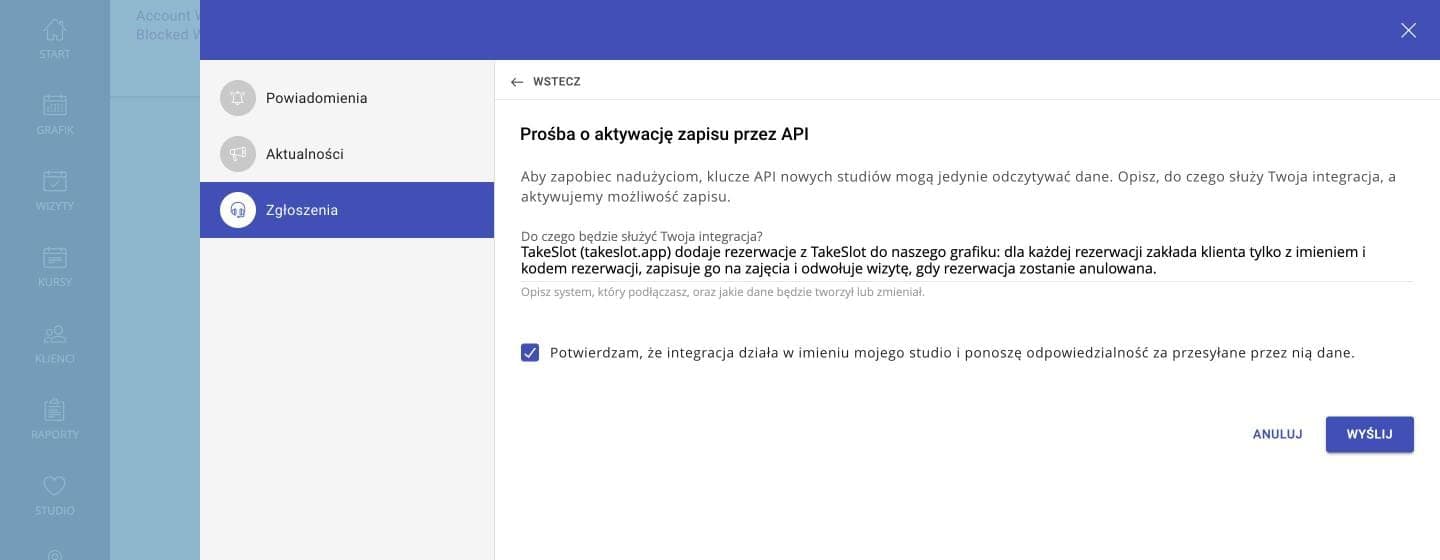
Press the button. A short form opens and asks what the integration is for and what data it will create or change. You can paste this:
TakeSlot (takeslot.app) adds bookings made on TakeSlot to our schedule: for each booking it creates a client with only a first name and a booking code, books them into the class, and cancels the visit if the booking is cancelled.
- 4
Confirm and send
Tick the box confirming the integration acts on behalf of your studio, and press Send. Fitssey reviews requests by hand, so expect a short wait rather than an instant answer.
Then wait for Fitssey
Fitssey reviews the request by hand and lets you know when write access is on. Once it is, go back to the connect guide and set the integration up from the start — create the key and paste it into TakeSlot. Nothing else is needed on this page.
Questions studios ask
- How long does it take?
- Fitssey reviews requests manually; plan for a few working days. If nothing has changed after a week, write to developers@fitssey.com and mention TakeSlot.
- My studio has used Fitssey for years. Do I need this?
- Probably not. Only studios whose keys are limited see the notice. If the API keys page has no such notice, skip this guide and go straight to creating the key.
- I already have a key. Will it start writing after approval?
- Don't count on it. Create a new key after the approval and paste that one into TakeSlot.
- What exactly will TakeSlot write?
- Two things only: a client for each booking (first name and booking code, no surname, email or phone) and their visit on the class. We never change your schedule, prices, passes or other clients.